# Introduction To Serverless Security: Part 3 - Preventing Accidental Deletion
"Did I just delete the database with all my customer data?!" you might say if you failed to enable the measure to prevent accidental deletion. We will explore how to avoid this pitfall in your Serverless environment.
## Serverless Make It Really Easy to Deploy Your Environment—and Undeploy Too
The Serverless framework has made it extremely easy to deploy you functions, create databases, provision storage, and more with one deploy command. This is powerful and convenient, but the same goes for tearing down your deployment. (You may want to read the first article in this series, "[Introduction To Serverless Security: Part 1 - Dependencies](https://www.secjuice.com/serverless-security-dependencies/)," to get a quick overview on serverless environments.)
### Deploying Your Environment
This example deployment file shows how you can configure the resources you want in one configuration.
```yaml
service: secjuice-example
provider:
name: aws
runtime: nodejs8.10
stage: ${opt:stage, 'dev'}
region: us-east-1
functions:
exampleFunction:
handler: functions/example.handler
events:
- http:
path: secjuice/example
method: get
resources:
Resources:
S3BucketFiles:
Type: AWS::S3::Bucket
Properties:
# must be globally unique across all AWS
BucketName: secjuice-example-files
CustomersTable:
Type: AWS::DynamoDB::Table
Properties:
TableName: secjuice-example-customers
AttributeDefinitions:
- AttributeName: AccountId
AttributeType: S
KeySchema:
- AttributeName: AccountId
KeyType: HASH
ProvisionedThroughput:
ReadCapacityUnits: 1
WriteCapacityUnits: 1
```
*The `serverless.yml` configuration file.*
The `serverless.yml` configuration creates the following upon deployment to Amazon Web Services (AWS):
* One function called `secjuice-example-dev-exampleFunction` using AWS Lambdas; it automatically appends the "service" and "stage" to the lambda function name
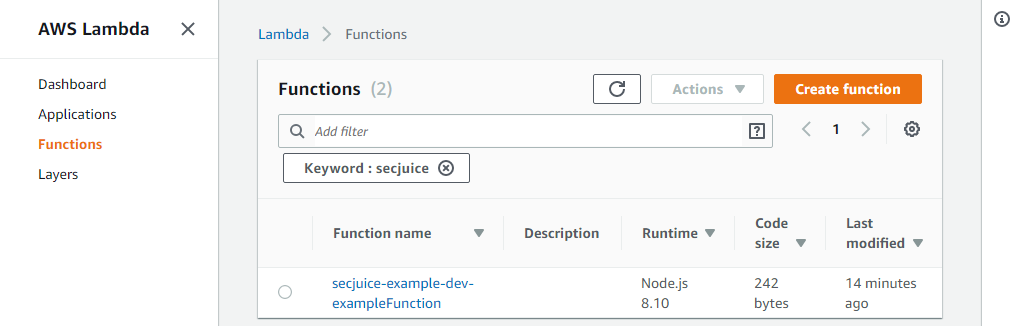
*A Serverless deploy created the Lambda function.*
* One file storage system called `secjuice-example-files` using AWS Simple Storage Service (S3)
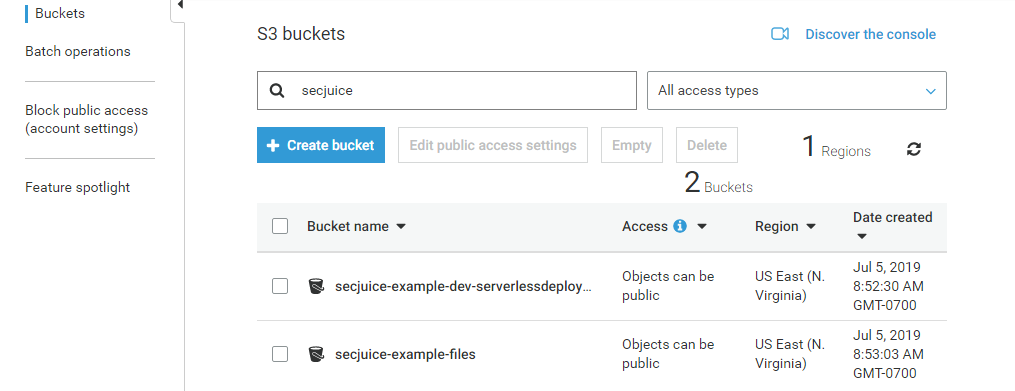
*A Serverless deploy created the S3 buckets.*
* One database called `secjuice-example-customers` using AWS DynamoDB.

*A Serverless deploy created the DynamoDB table.*
To start the deploy, you navigate to the project folder where the `serverless.yml` file exists and run the following command:
```sh
sls deploy
```
*Command to deploy the stack.*
Wow! Deploying the stack is really simple.
### Undeploying (i.e. Removing) Your Enviroment
As simple as it was to deploy, the same applies to removing your environment. This is a double-edge sword. You may want to remove your environment quickly when developing for multiple reasons, but you might not want that same ease with your production environment (and important data).
To start the removal, you navigate to the project folder where the `serverless.yml` file exists and run the following command:
```sh
sls remove
```
*Command to remove the stack.*
It is scary how easy it was to delete the entire stack.
Issuing this command deleted the following:
* The DynamoDB database

*A Serverless remove deleted the DynamoDB table.*
* The S3 bucket
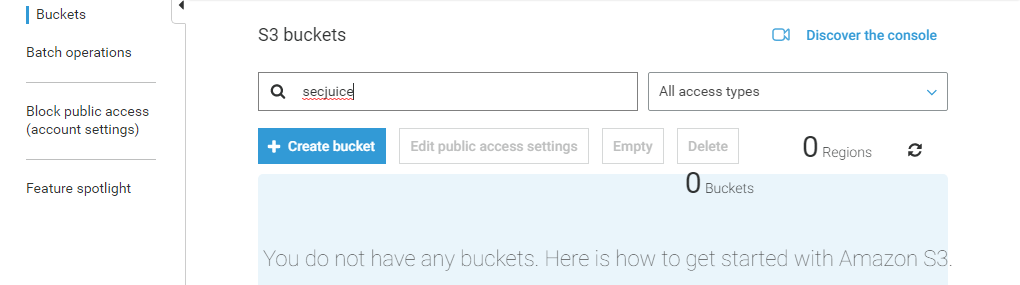
*A Serverless remove deleted the S3 buckets.*
* The Lambda function
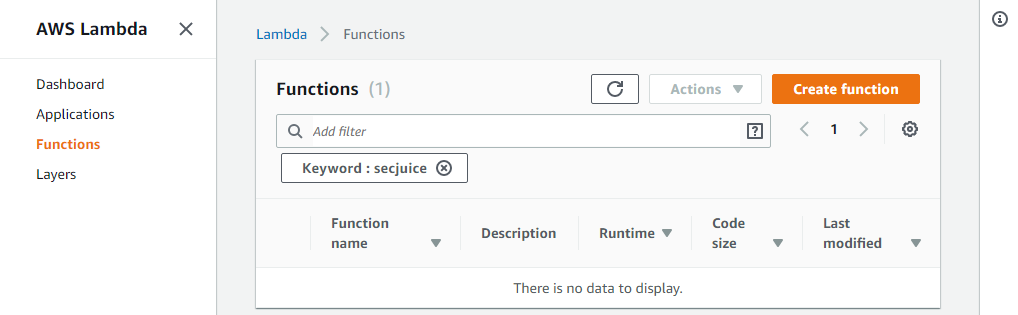
*A Serverless remove deleted the Lambda function.*
How can you protect your data from an accidental (or maliciously intended) deletion?
## Strategies to Protect Your Data From Accidental Deletion
### Separating Function and Data Stacks
You can separate your functions and data into two stacks. I did accomplished this by creating two sub-folders "data" and "functions", each with its own `serverless.yml` configuration file.
```yaml
service: secjuice-example-functions
provider:
name: aws
runtime: nodejs8.10
stage: ${opt:stage, 'dev'}
region: us-east-1
functions:
exampleFunction:
handler: example.handler
events:
- http:
path: secjuice/example
method: get
```
*The `functions/serverless.yml` configuration file.*
```yaml
service: secjuice-example-data
provider:
name: aws
runtime: nodejs8.10
stage: ${opt:stage, 'dev'}
region: us-east-1
resources:
Resources:
S3BucketFiles:
Type: AWS::S3::Bucket
Properties:
# must be globally unique across all AWS
BucketName: secjuice-example-files
CustomersTable:
Type: AWS::DynamoDB::Table
Properties:
TableName: secjuice-example-customers
AttributeDefinitions:
- AttributeName: AccountId
AttributeType: S
KeySchema:
- AttributeName: AccountId
KeyType: HASH
ProvisionedThroughput:
ReadCapacityUnits: 1
WriteCapacityUnits: 1
```
*The `data/serverless.yml` configuration file.*
To start the deploy, you navigate to the project folder where the original `serverless.yml` file existed and run the following commands:
```sh
cd functions
sls deploy
cd ../data
sls deploy
cd ..
```
*Commands to deploy both stacks.*
These two deploys did the following:
* Created two CloudFormation stacks
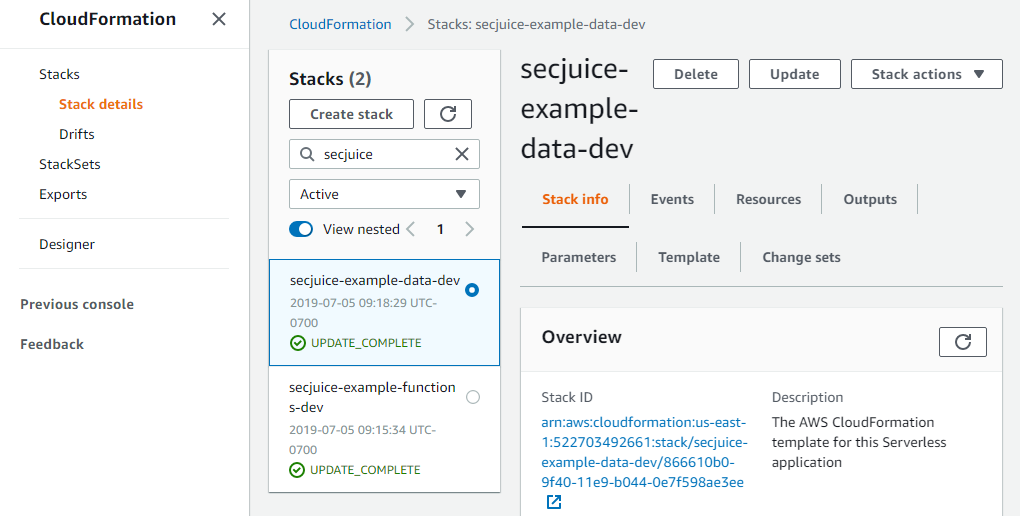
*Each Serverless deploy created a stack.*
* Created the Lambda function
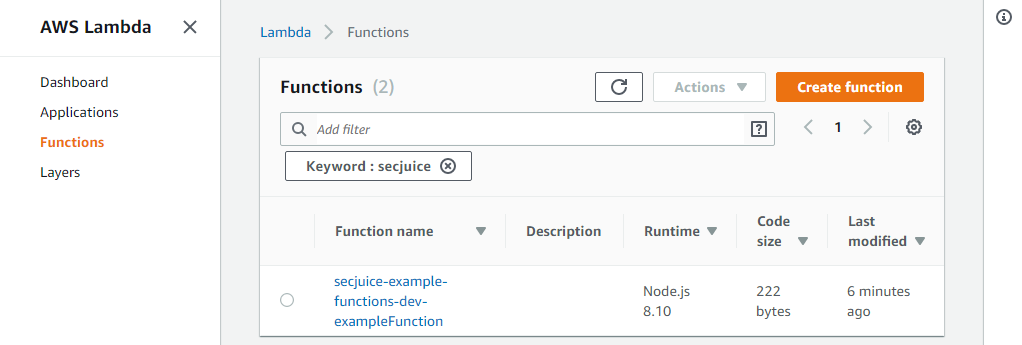
*The Serverless deploy for the functions stack created the Lambda function.*
* Created the DynamoDB table

*The Serverless deploy for the data stack created the DynamoDB table.*
* Created the S3 buckets
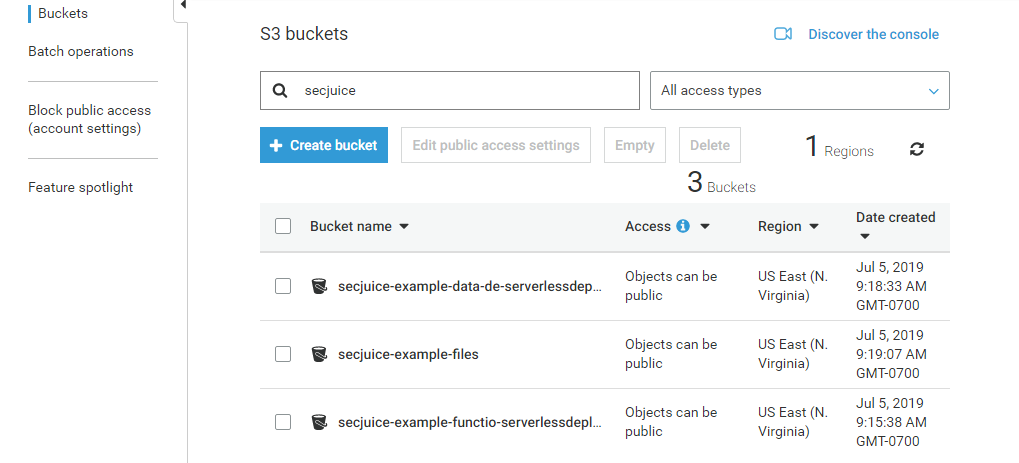
*Each Serverless deploy created its S3 buckets.*
Now, let's remove on the functions stack.
```sh
cd functions
sls remove
cd ..
```
*Commands to remove the functions stack.*
You will notice only the Lambda function and the S3 bucket associated with the functions stack is removed:
* Only the data CloudFormation stack remains.
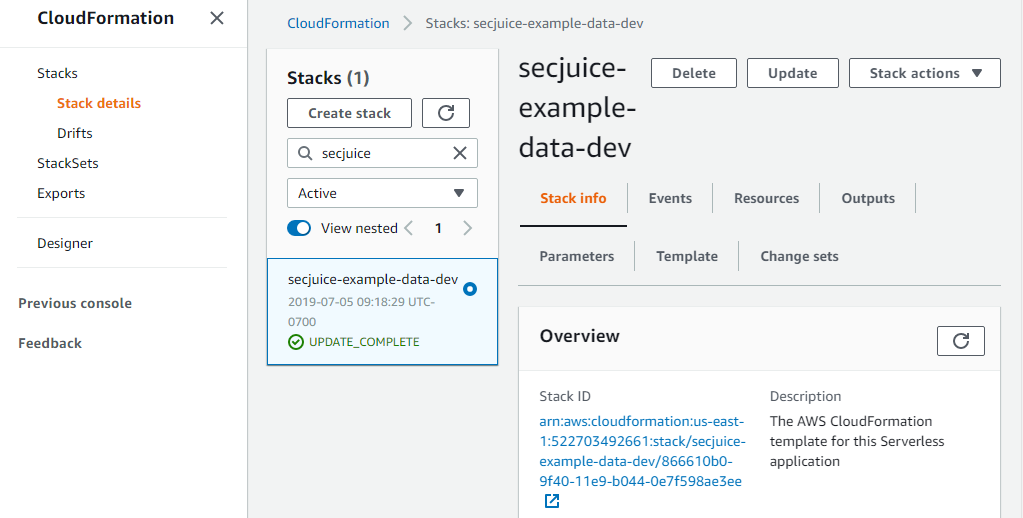
*The Serverless remove for the functions stack removed its CloudFormation stack.*
* Only the data stack S3 buckets remain.
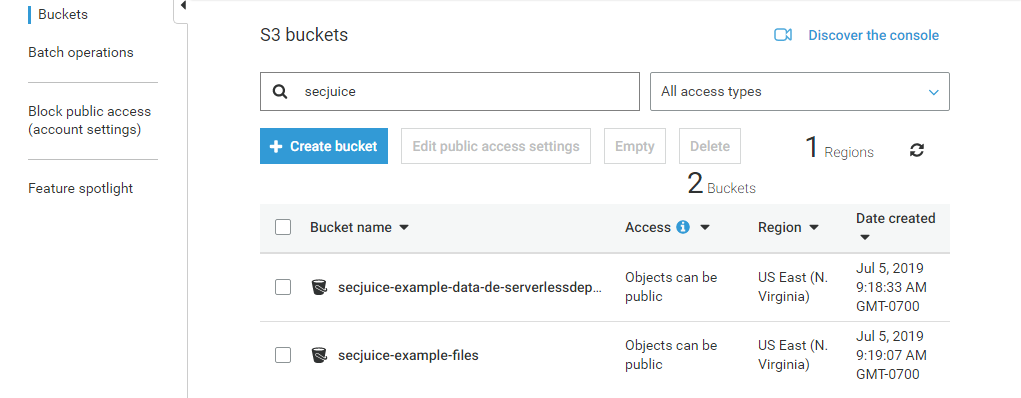
*The Serverless remove for the functions stack removed its S3 bucket.*
* The DynamoDB table remains.

*The Serverless remove for the functions stack had no effect on the DynamoDB table.*
* There is no Lambda function.
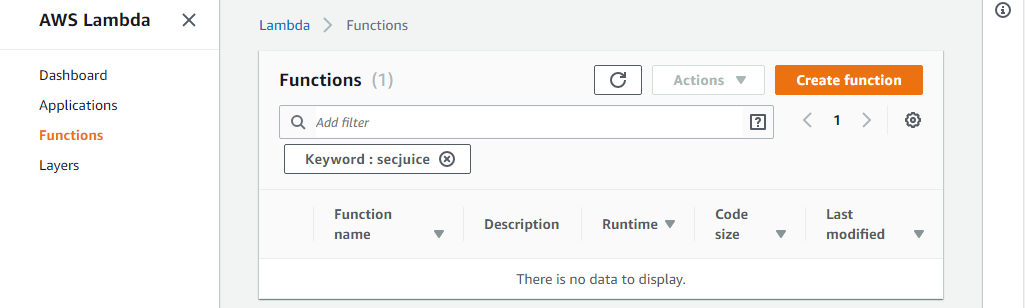
*The Serverless remove for the functions stack removed the Lambda function.*
This approach allows a developer to work on the Lambda functions without worrying about the effect it has to the data.
### Enabling Termination Protection
AWS CloudFormation has a nice feature to protect against accidental termination: it is called "termination protection." Termination protection is disabled by default. To enable it:
* Go to the stack
* Click "Stack actions"
* Click "Edit termination protection"
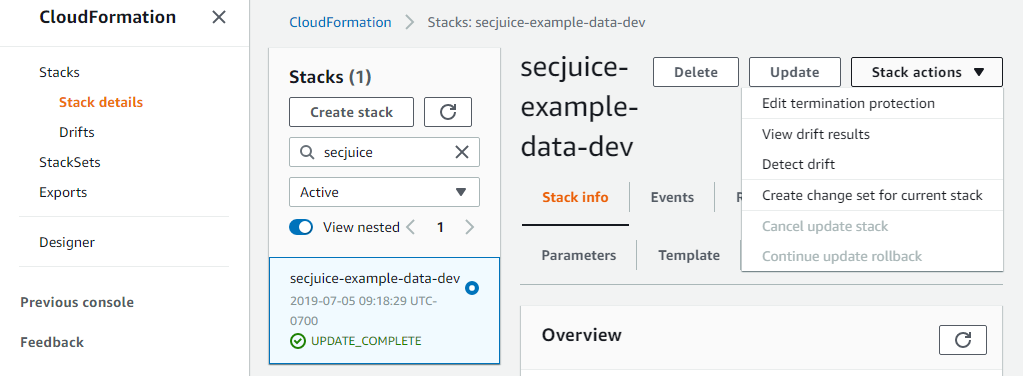
*Navigating to the "Edit termination protection" option.*
* Click "Enabled"
* Click "Save"
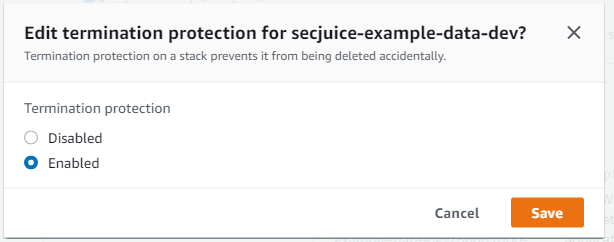
*Enabling termination protection.*
Now, when you try to remove the data stack you will get the following error:
```sh
Serverless: Getting all objects in S3 bucket...
Serverless: Removing objects in S3 bucket...
Serverless: Removing Stack...
Serverless Error ---------------------------------------
Stack [secjuice-example-data-dev] cannot be deleted while TerminationProtection is enabled
```
*Error displayed when attempting to remove a stack with termination protection enabled.*
Enabling termination protection via the web console is very simple, but can be time consuming if you have a lot of stacks to manage. I recommend enabling it as part of the Serverless deploy.
At the time of this writing, the Serverless framework version 1.x has no support for termination protection. You need to use a Serverless plugin to add that capability. You can use one of two plugins:
* [serverless-stack-termination-protection](https://www.npmjs.com/package/serverless-stack-termination-protection)
* [serverless-termination-protection](https://www.npmjs.com/package/serverless-termination-protection)
**The "serverless-stack-termination-protection" plugin**
This plugin enables termination protection during deploy without any additional configuration.
To install it, run the following commands in your project folder:
```sh
cd data
npm install --save-dev serverless-stack-termination-protection
```
*Commands to install the plugin.*
Open the `serverless.yml` configuration file for the data stack and add the plugin.
```yaml
service: secjuice-example-data
provider:
name: aws
runtime: nodejs8.10
stage: ${opt:stage, 'dev'}
region: us-east-1
resources:
Resources:
S3BucketFiles:
Type: AWS::S3::Bucket
Properties:
# must be globally unique across all AWS
BucketName: secjuice-example-files
CustomersTable:
Type: AWS::DynamoDB::Table
Properties:
TableName: secjuice-example-customers
AttributeDefinitions:
- AttributeName: AccountId
AttributeType: S
KeySchema:
- AttributeName: AccountId
KeyType: HASH
ProvisionedThroughput:
ReadCapacityUnits: 1
WriteCapacityUnits: 1
plugins:
- serverless-stack-termination-protection
```
*The updated `data/serverless.yml` configuration file.*
You will see the following output when you deploy the data stack:
```sh
serverless-stack-termination-protection: Successfully enabled termination protection
```
*Output displayed when deploying the data stack.*
_Disclosure: I wrote the "serverless-stack-termination-protection" plugin._
**The "serverless-termination-protection" plugin**
This plugin also enables termination protection during deploy, but offers additional configuration options to deploy to specific stages. For example, you can specify to enable termination protection only for your "prod" stage/environment.
To install it, run the following commands in your project folder:
```sh
cd data
npm install --save-dev serverless-termination-protection aws-sdk
```
*Commands to install the plugin.*
Open the `serverless.yml` configuration file for the data stack and add the plugin.
```yaml
service: secjuice-example-data
provider:
name: aws
runtime: nodejs8.10
stage: ${opt:stage, 'dev'}
region: us-east-1
resources:
Resources:
S3BucketFiles:
Type: AWS::S3::Bucket
Properties:
# must be globally unique across all AWS
BucketName: secjuice-example-files
CustomersTable:
Type: AWS::DynamoDB::Table
Properties:
TableName: secjuice-example-customers
AttributeDefinitions:
- AttributeName: AccountId
AttributeType: S
KeySchema:
- AttributeName: AccountId
KeyType: HASH
ProvisionedThroughput:
ReadCapacityUnits: 1
WriteCapacityUnits: 1
plugins:
- serverless-termination-protection
custom:
serverlessTerminationProtection:
stages:
- prod
```
*The updated `data/serverless.yml` configuration file.*
You will see the following output when you deploy the data stack:
```sh
Serverless: STP: Adding termination protection to secjuice-example-data-dev..
Serverless: STP: Checking if termination protection should be added..
Serverless: STP: Stages to check: prod
Serverless: STP: Not applying termination protection for dev stage
```
*Output displayed when deploying the data stack.*
With either plugin, your data stack is now protected, unless you specify to exclude a stage.
## Conclusion
Consider separating your stacks and enabling termination protection on the data stack at a minimum to protect your application from accidental deletion.
## Before You Go
### Source
The source files are available at [https://github.com/miguel-a-calles-mba/secjuice/tree/master/termination-protection-examples](https://github.com/miguel-a-calles-mba/secjuice/tree/master/termination-protection-examples) for your enjoyment.
## Before you go
%%[mailing-list]
### About the author
%%[bio]
*Originally published on [Secjuice.com](https://www.secjuice.com/serverless-security-preventing-accidental-deletion-termination-protection/)*
*Photo by [Blaine Lingard](https://dribbble.com/blaineLingard) on [Dribbble](https://dribbble.com/)*